


Over time, we’ve increasingly seen Apple roll out the concept of Digital ID, whereby you can create an ID in your Apple Wallet. Up until now, that was limited to driver’s licenses from a limited number of states, but this has now been expanded in a significant way.
You can now add your US passport to Apple’s Digital ID
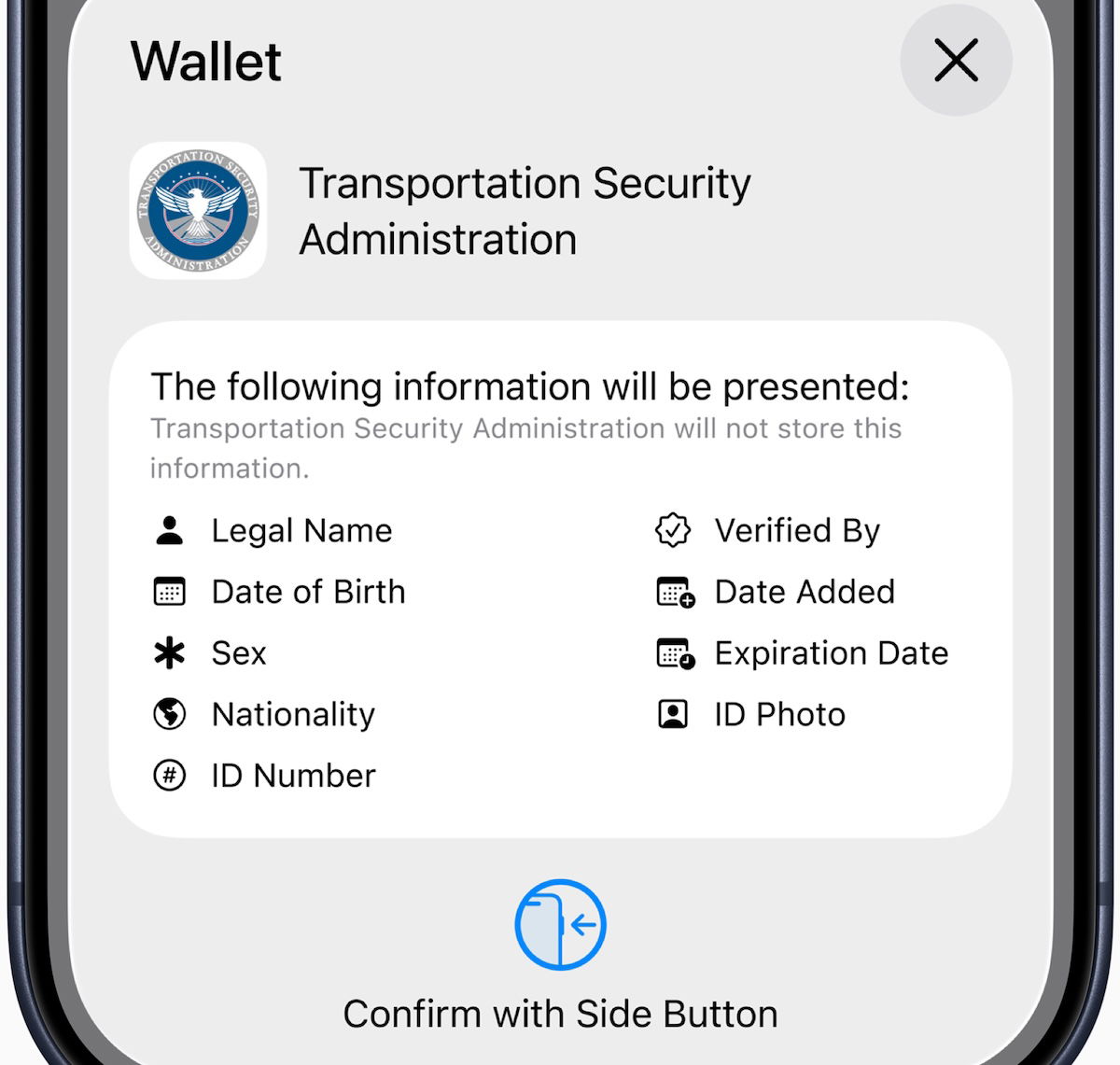
It’s now possible to load information from your United States passport into Apple’s Digital ID, and then present that via your iPhone or Apple Watch to clear security at US airports. At launch, Digital ID is accepted at TSA checkpoints at more than 250 airports in the United States.
This is initially valid for in-person identity verification during domestic travel, with additional Digital ID acceptance use cases to come in the future. Digital ID is not a replacement for a physical passport, and can’t be used for international travel or for border crossings, in lieu of a passport.
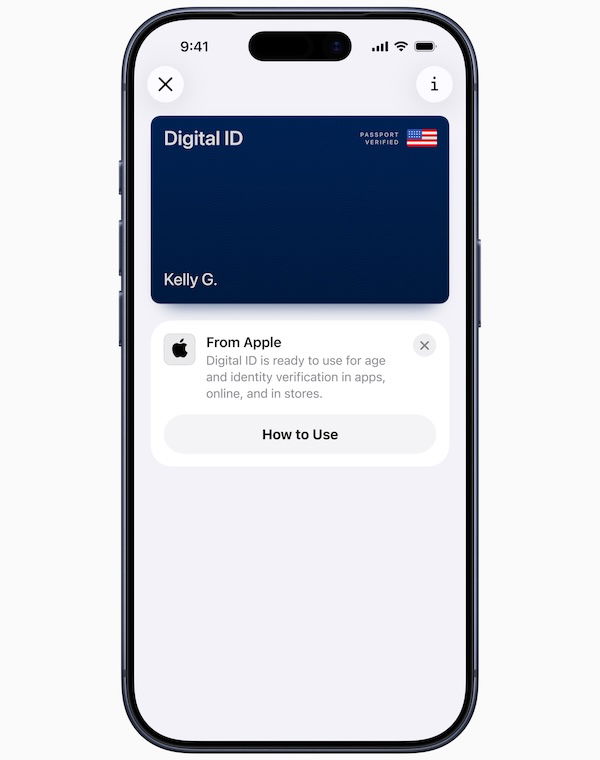
The process of creating and adding a Digital ID to Apple Wallet is easy. Just tap the “+” button at the top right of the screen in Wallet on your iPhone, and then select “Driver’s License and ID Cards” from the options. Then select “Digital ID,” and follow the instructions to start the setup and verification process.
Users must use their iPhone to scan the photo page of their physical passport, as part of the process. You’ll also be asked to use your iPhone to read the chip embedded on the back of the passport, to ensure the data’s authenticity. You’ll then have to take a selfie for verification, and will be prompted to complete a series of facial and head movements. Upon completion, the Digital ID will be added to Apple Wallet.
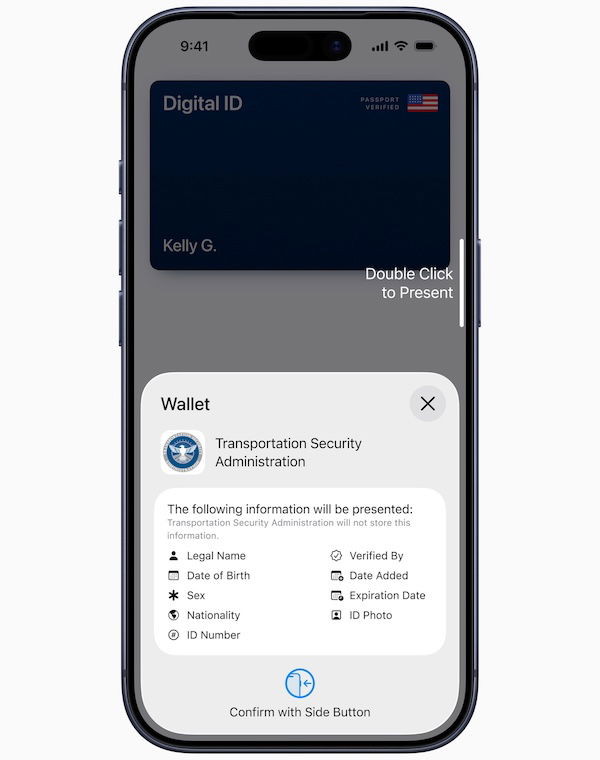
Then to present your Digital ID in person, you just have to double click the side button to access Apple Wallet, and select Digital ID. You can then told your iPhone or Apple Watch near the identity reader, review the specific information being requested, and use Face ID or Touch ID to authenticate.
Apple of course emphasizes how Digital ID takes advantage of the privacy and security features already built into iPhones and Apple Watches, to help protect against tampering and theft. Only the information needed for a transaction is presented, and the user has the opportunity to review and authorize the information being requested with Face ID or Touch ID before it is shared. Users do not need to unlock, show, or hand over their device, to present their ID.
Technology is making the airport experience easier
Even though I’ve always worked online, I’m a pretty low tech guy. Quite honestly, I only recently started adding credit cards to Apple Wallet… I’m not sure why I resisted it for so long. I don’t actually find Apple Wallet to be that much more convenient than just pulling out a card, though I view the main benefit as not having to carry around all the cards that potentially help me maximize points.
I know younger generations like to do everything on their phone, but I’m generally pretty lukewarm about it. I feel like I already spend enough time on my phone, and it’s not like pulling my driver’s license out of my wallet and quickly putting it in the TSA card reader takes a lot of effort. I’m starting to understand the people who prefer to read print newspapers and magazines, rather than just reading everything online… goodness, I’m getting old!
Still, it’s absolutely cool to see more options, and it’s also nice to have this backup in case you forget something, as I imagine this will become increasingly useful over time.
More broadly, technology is simplifying the airport process, particularly at security. This even comes in little ways, like the fact that nowadays you can typically insert your driver’s license into the card reader, so the TSA agents never even have to touch your ID, and don’t even have to see your boarding pass.
This contributes to a more seamless travel experience, and I hope it’s a trend that we continue to see. If technology continues to improve, then services like CLEAR should be totally obsolete, in my opinion.
Bottom line
Apple has now rolled out Digital ID for passports, meaning that you can upload your passport to your Apple Wallet, and use it for identity verification at TSA checkpoints. For now this can only be used for domestic flights, and it can’t actually be used for international travel. However, I imagine that’s coming eventually as well…
Do you plan on using Apple’s Digital ID option for getting through TSA?
