


Every so often, I think it makes sense to talk a bit about the tools and services that I most use for managing, earning, and redeeming points. While I often mention these websites and services in passing, I think there’s also merit to writing dedicated posts about them sometimes.
In this post, I’d like to talk about how and why I use ExpertFlyer, which is a frequent flyer resource that’s worth considering. In particular, I think it makes sense to look at it in light of recent changes to the platform. In separate posts, I’ve talked about other services useful for flight planning, including Google Flights, point.me, Seats.aero, AwardWallet, aeroLOPA, and more.
ExpertFlyer is a subscription service that provides all kinds of valuable information for planning and managing airline flights. I’d say the site is geared more at advanced travelers, since the interface won’t necessarily be intuitive for those who aren’t hobbyists. For example, if you don’t have a basic understanding of how airline fare classes work, aspects of ExpertFlyer may confuse you.
ExpertFlyer is useful for everything from looking at fare class availability for flights, to looking at seat maps for flights, to setting seat and fare class availability alerts, to searching award availability on some airlines, to finding out the minimum connection time at a particular airport.
Honestly, I use ExpertFlyer on a daily basis for one thing or another, and the ability to set alerts has saved me a lot of time and money.

How much does an ExpertFlyer membership cost?
ExpertFlyer is a subscription service, and there are three paid plans:
- The basic plan costs $6.99 per month or $71.88 per year (that’s $5.99 per month through an annual subscription)
- The premium plan costs $12.99 per month or $131.88 per year (that’s $10.99 per month through an annual subscription)
- The elite plan costs $19.99 per month or $239.88 per year (there’s no discount for an annual subscription)

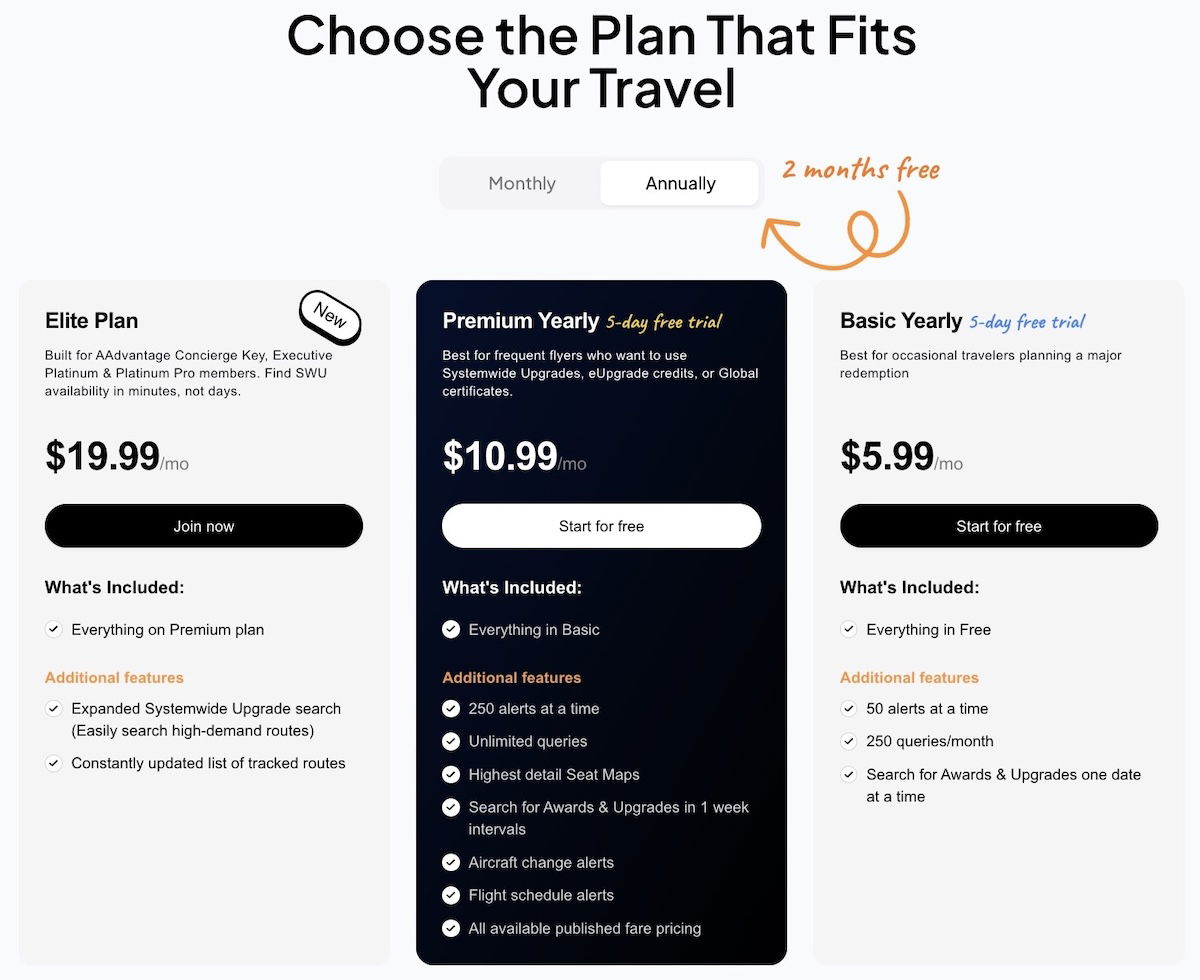
Let me say that if you’re going to sign-up for an ExpertFlyer account, I’d argue that the premium account is the sweet spot. Compared to the basic account, I appreciate the ability to set a lot more alerts, to have aircraft change and flight schedule alerts, and to be able to search for awards and upgrades for one week at a time. Meanwhile the elite account is only incrementally worth it if you really value the American systemwide upgrade search interface (more on that below).
You can also sign-up for an ExpertFlyer account for free and get a single free seat alert, but that’s only a tiny portion of the overall value of what ExpertFlyer offers.
What are the features of ExpertFlyer?
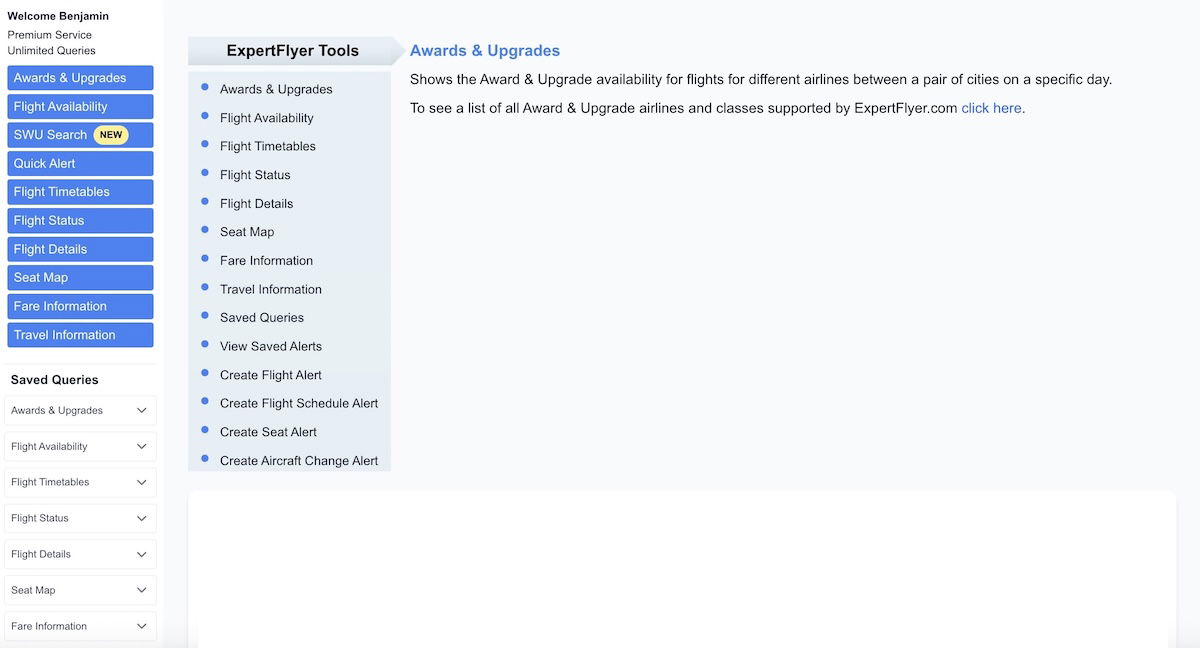
ExpertFlyer gives you access to a variety of useful data, involving awards and upgrades, flight availability, flight timetables, flight status, flight details, seat maps, fare information, travel information, all kinds of alerts, and more.
This is largely information you can also find elsewhere with effort, but ExpertFlyer just makes it much easier to view. I also think the single biggest benefit of ExpertFlyer is the ability to set alerts, as I’ll detail below.
I figured the most interesting way to approach this would be to share where I see value in ExpertFlyer, and how I use this service. So below are some of the main ways that I use ExpertFlyer, though note that there are other features beyond that.
Look up flight availability, set availability alerts
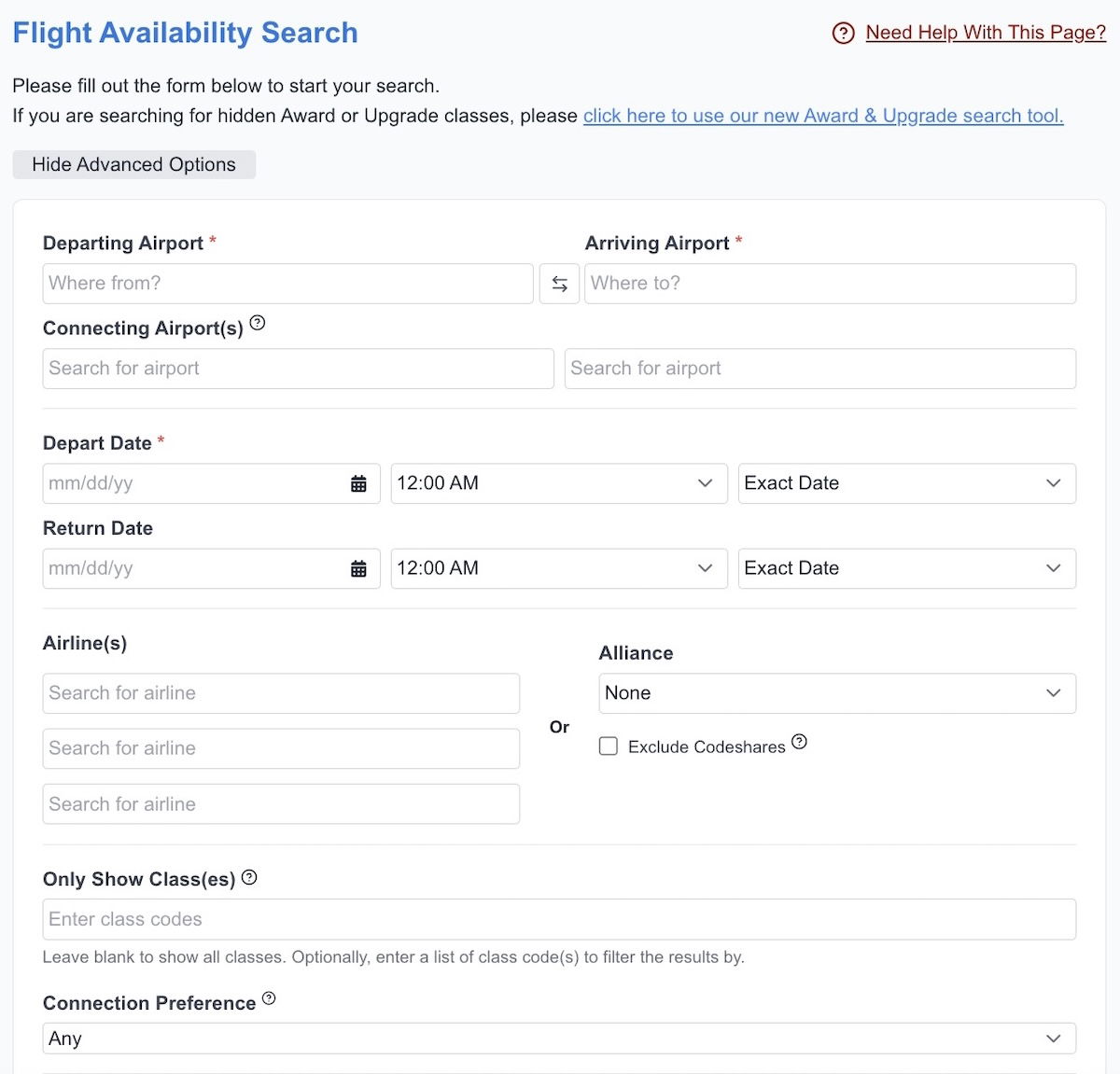
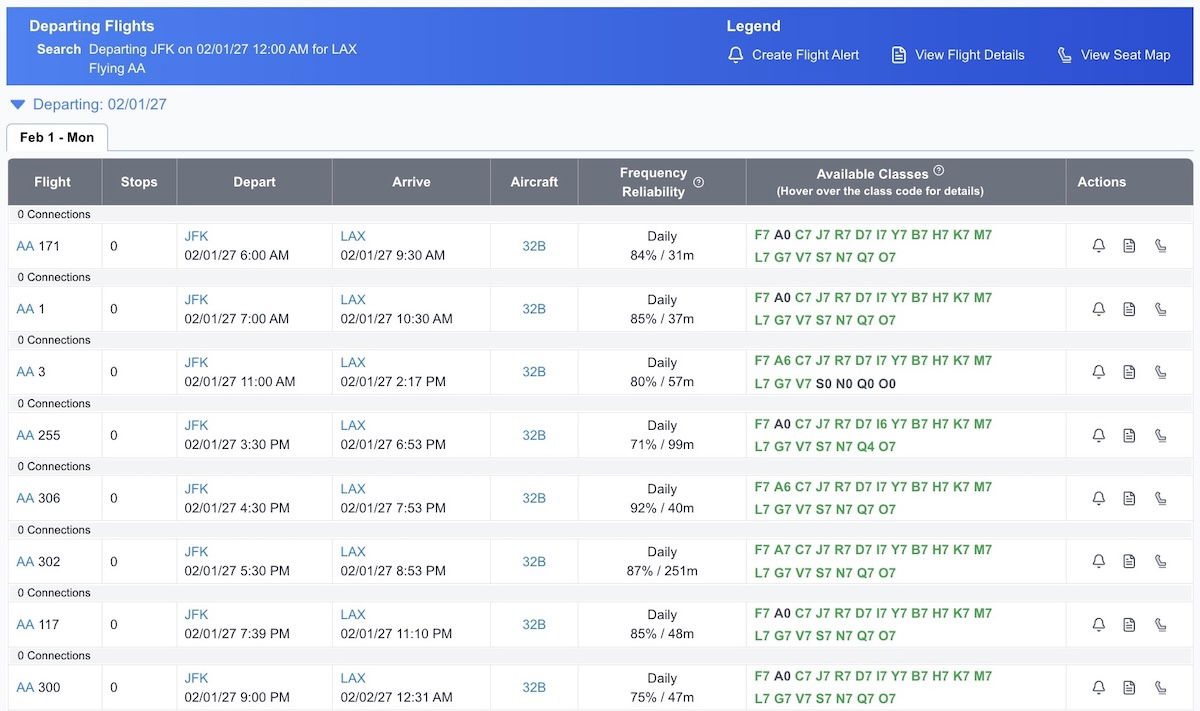
When you go to the “Flight Availability” tab on ExpertFlyer, you can look up the available fare classes for virtually any flight. To be clear, this isn’t the same as knowing how many unsold seats there are on a given flight, but it shows you which fare classes are still for sale, and generally you can see at most nine seats per fare class.

Why does flight availability even matter? Well, if I’m trying to upgrade, I often pick flights based on how many premium seats are left for sale, and looking at the number of seats available in each fare class helps with determining that.

To give a further example, Lufthansa is known for making first class award seats available to partner programs only within days of departure. So for me, step one of finding Lufthansa first class award availability is to go to ExpertFlyer and see how many first class seats are still for sale in various markets, so that I can then determine which flight is most likely to open up.
ExpertFlyer also lets you set availability alerts for flights, so that you can be informed if there are more than or fewer than a certain number of seats available in a specified fare class. For example, this could be useful if your flight is canceled and you’re trying to get rebooked on another flight, but everything is sold out. You can set an alert, and then be made aware if a seat becomes available on a particular flight.
Look up award and upgrade space, set availability alerts
ExpertFlyer has an “Award & Upgrades” tab, where you can search award and upgrade availability on select airlines. Now, admittedly this is largely data you can also pull up on other websites, but I appreciate how ExpertFlyer lets you search availability for a week at a time (by choosing the +/- three days feature), assuming you have a premium membership.

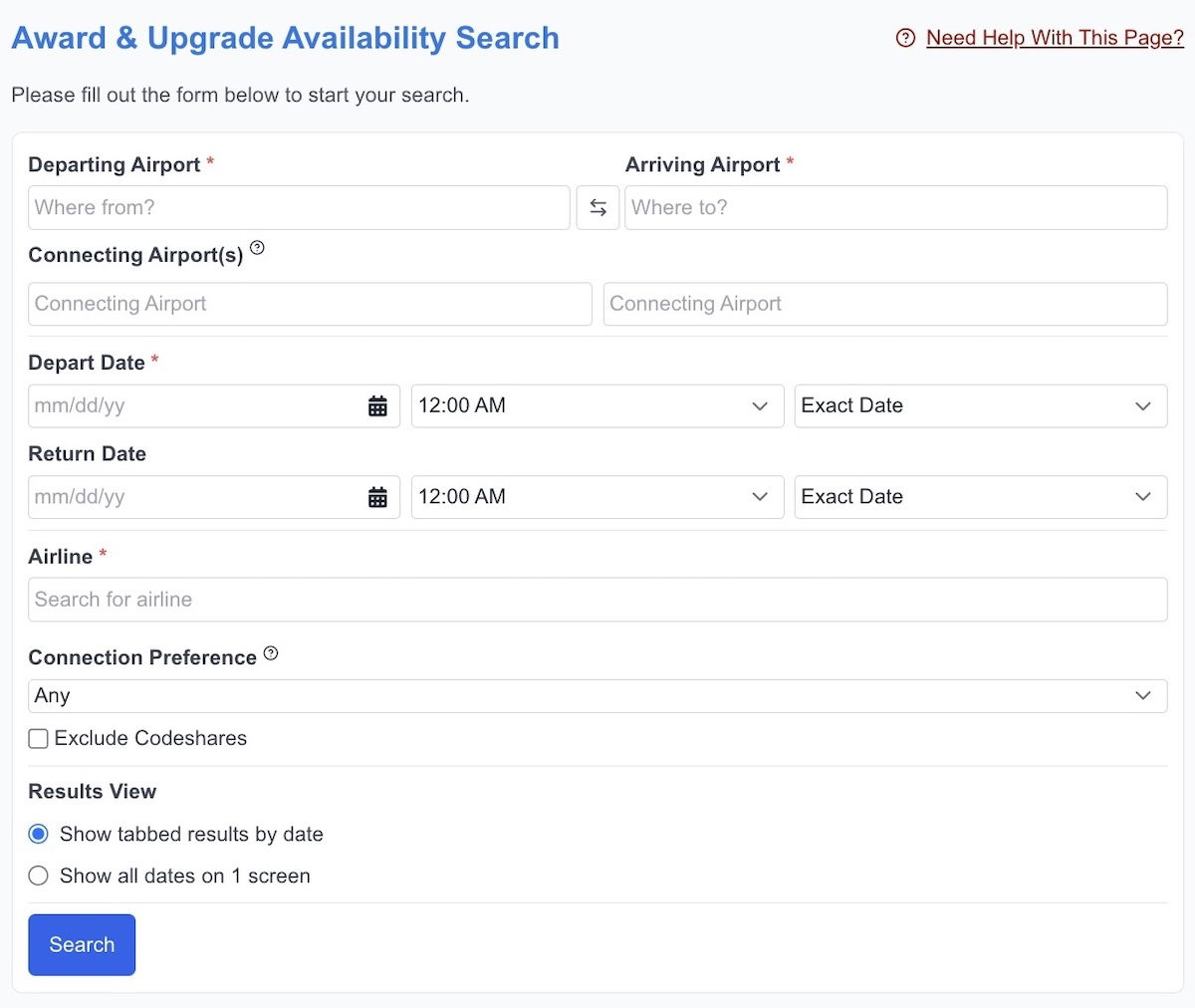
Note that ExpertFlyer is best for searching nonstop award availability in a particular market, so this isn’t some award search engine that shows you complex award itineraries.
As a matter of fact, ExpertFlyer only supports award availability searches on a fairly limited number of airlines (unfortunately ExpertFlyer lost access to many Star Alliance awards back in late 2023). Currently, you can search award availability through ExpertFlyer for travel on Aegean, Aer Lingus, Air Canada, Air Europa, Air France, Air Mauritius, Air New Zealand, Air Serbia, Air Tahiti Nui, Alaska, American, Azul, China Southern, Emirates, Gulf Air, Hawaiian, JetBlue, Kenya Airways, Korean Air, Philippine Airlines, and Qantas.
You’ll want to play around with ExpertFlyer to see how valuable this is to you, given the limitations on which airlines you can search.
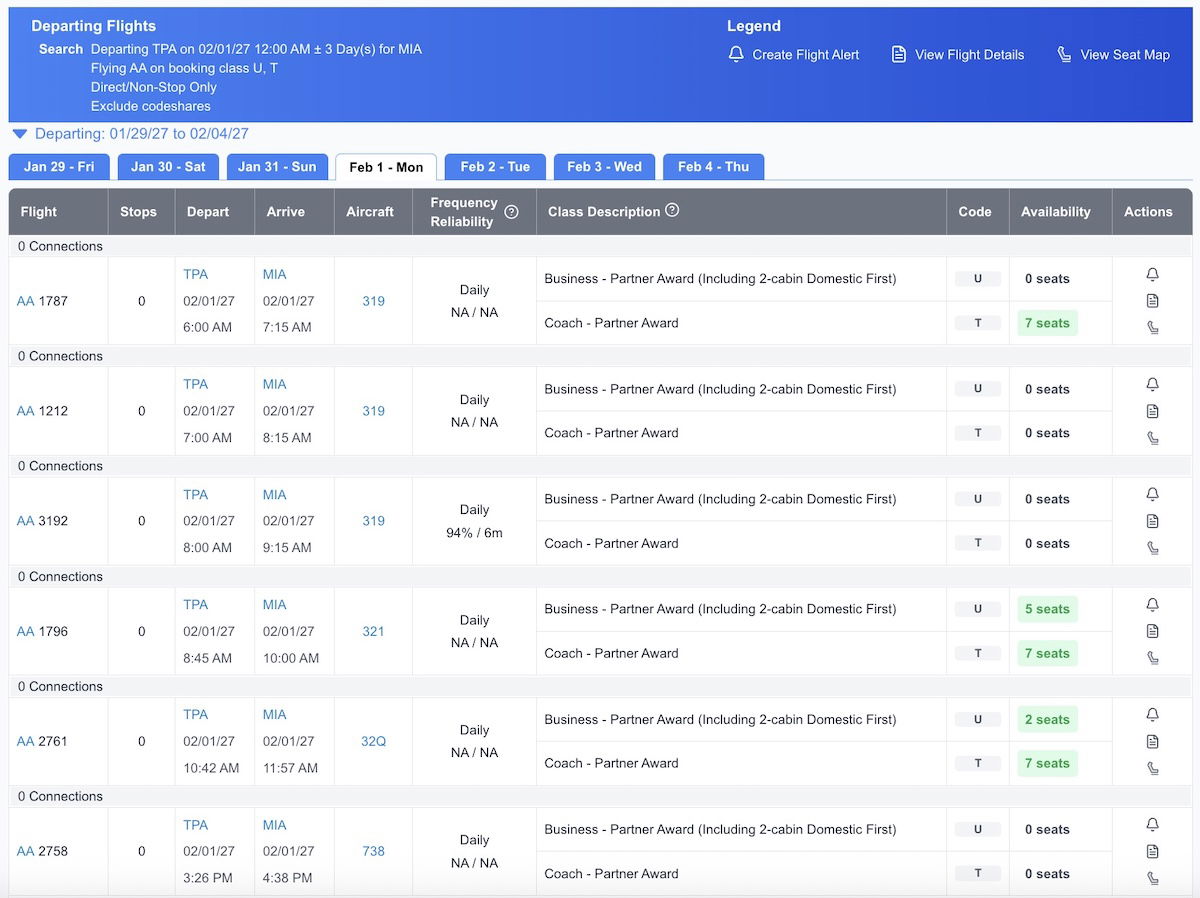
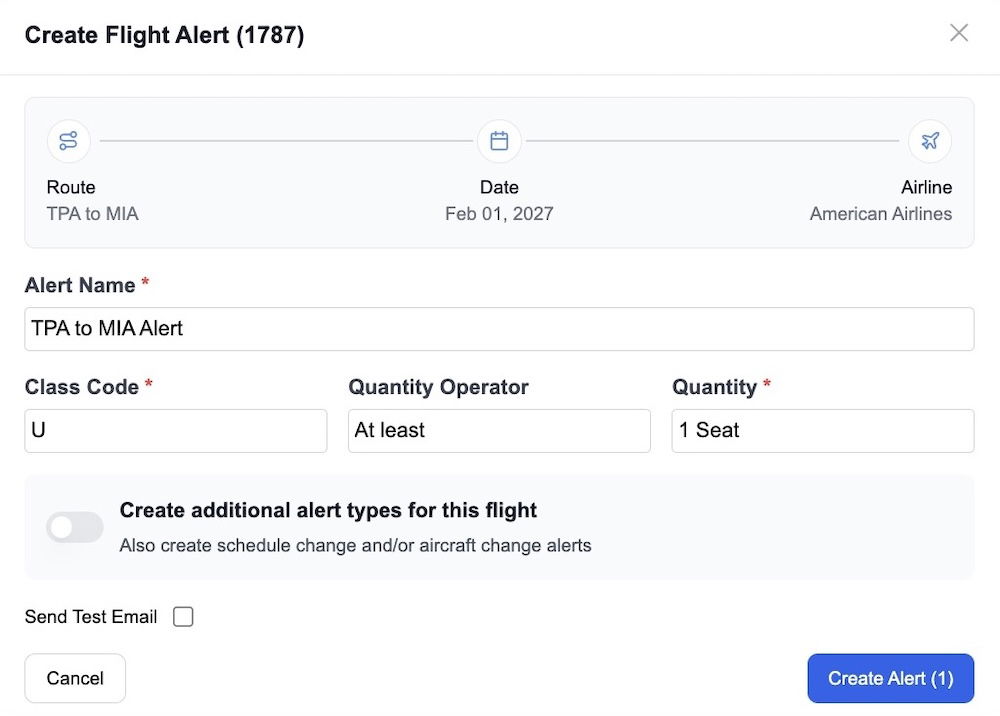
My favorite aspect of the award availability on ExpertFlyer is the ability to set award alerts. In other words, if a flight doesn’t have award availability, you can set an alert, and then will be texted and emailed when it opens up. This has scored me a significant number of award seats over the years.
I use this constantly for award travel on American. I really can’t overstate how a majority of my American flights are booked based on availability alerts from ExpertFlyer, given the frequency with which I redeem Alaska Atmos Rewards points on American.


View American Airlines upgrade inventory
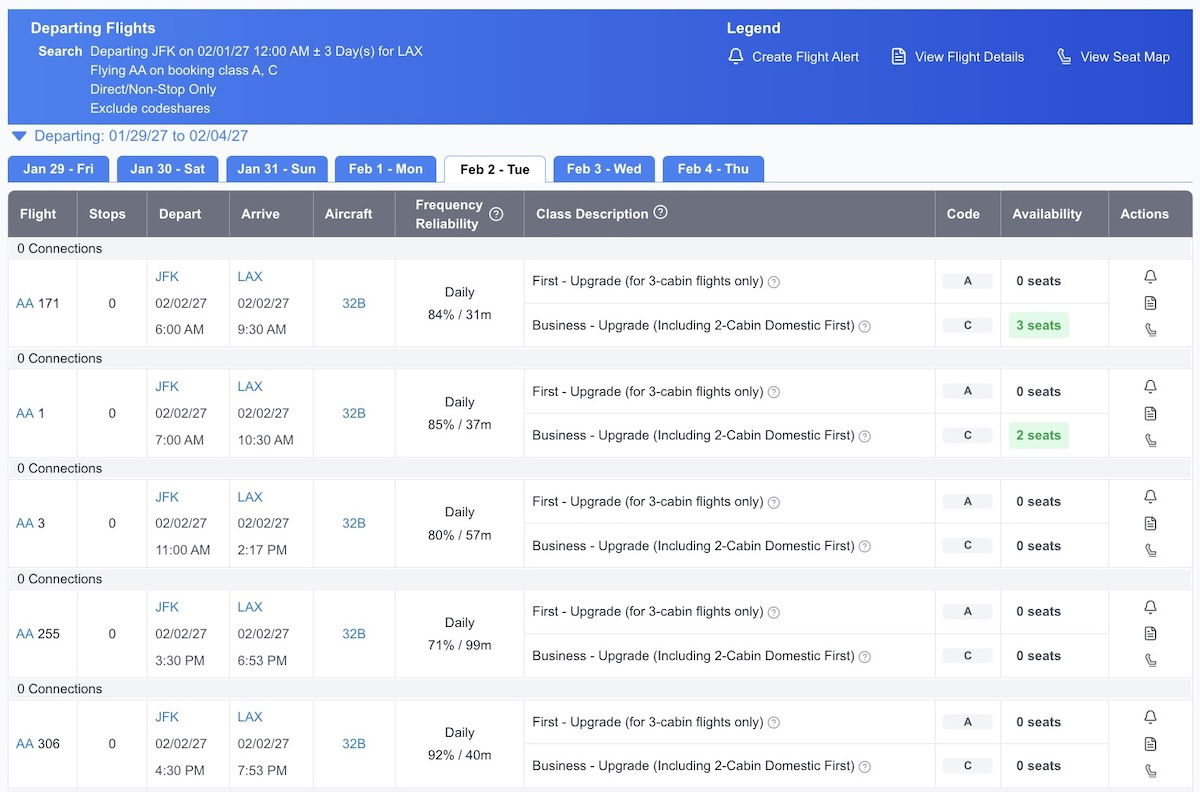
I know I mentioned above how ExpertFlyer lets you search upgrade space, though I specifically want to emphasize how ExpertFlyer shows upgrade availability on American. This is so useful, since American otherwise makes it quite difficult to find confirmable upgrade space online.
So if you’re an Executive Platinum member and have systemwide upgrades in your account that you want to redeem, easily searching confirmable upgrade space is one reason to get ExpertFlyer.
When you’re looking for “C” space (which is American’s confirmable domestic first class or international business class upgrade space), note that availability will only display correctly when searching nonstop flights. Ignore whatever number of “C” seats you see for connecting itineraries, and only search nonstop flights.

I should also mention that if you pay for ExpertFlyer’s elite tier, you get access to a dashboard that shows you an entire year worth of systemwide upgrade availability, and it can easily be sorted. That’s probably only worth paying extra for if you’re really invested in maximizing systemwide upgrades.
View airplane seat maps, and set seat and aircraft alerts
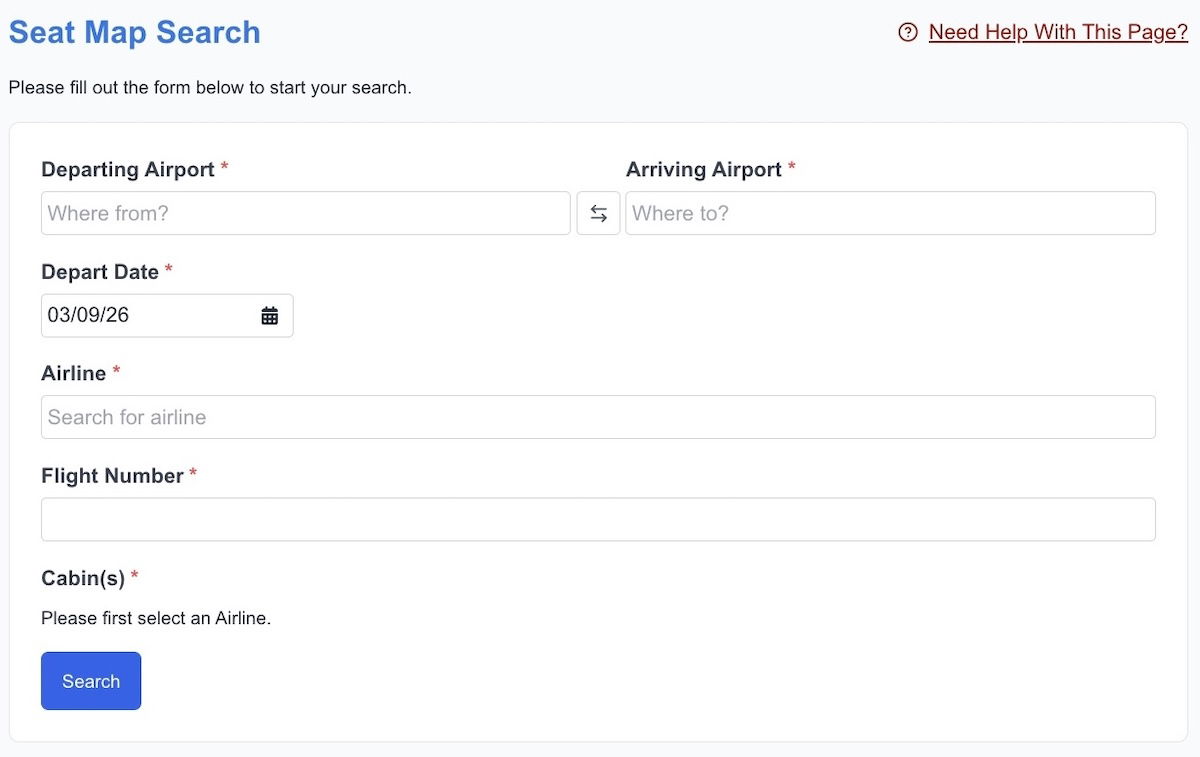
While most airline websites will let you view seat maps for flights, often you have to first go through the booking process. Sometimes you just want to see the seat map for a flight to figure out what configuration the plane has, what kind of seats are still remaining, etc. On the “Seat Map” tab, ExpertFlyer lets you pull up the seat maps for a vast majority of flights.

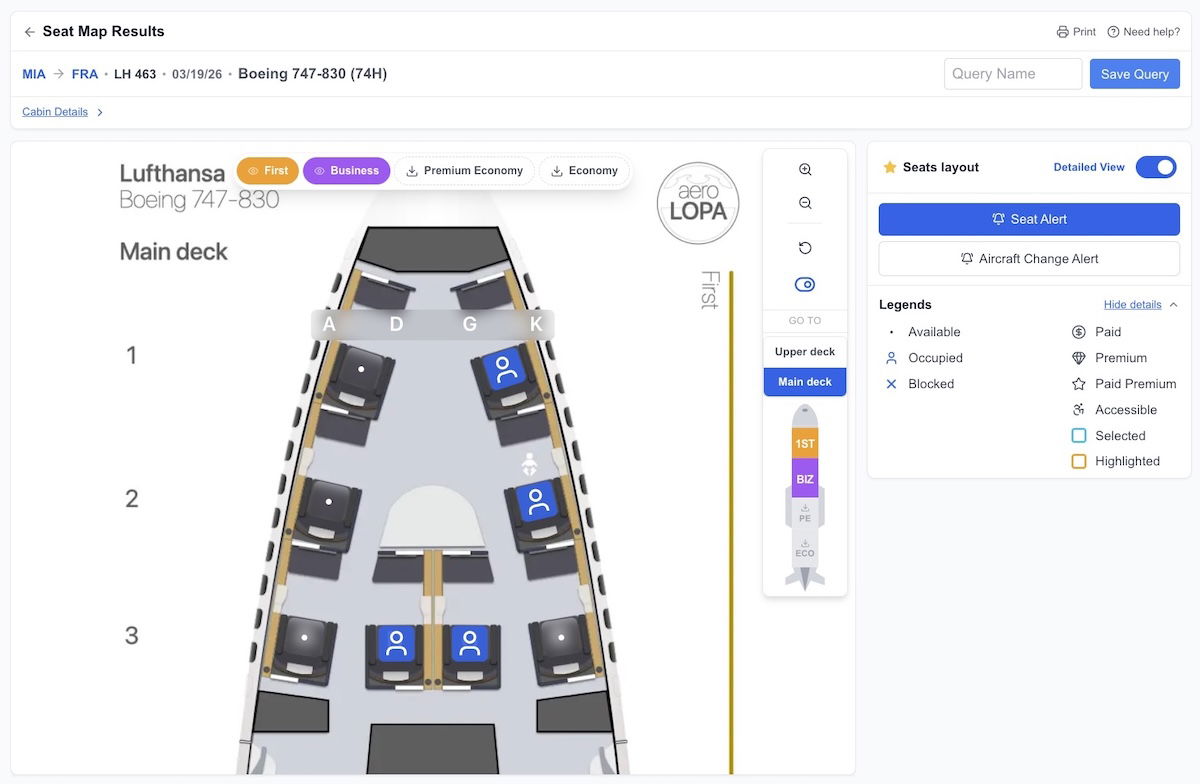
There are two choices for the seat maps you can view. The default is a detailed seat map showing you all the seat attributes, thanks to a partnership with aeroLOPA.

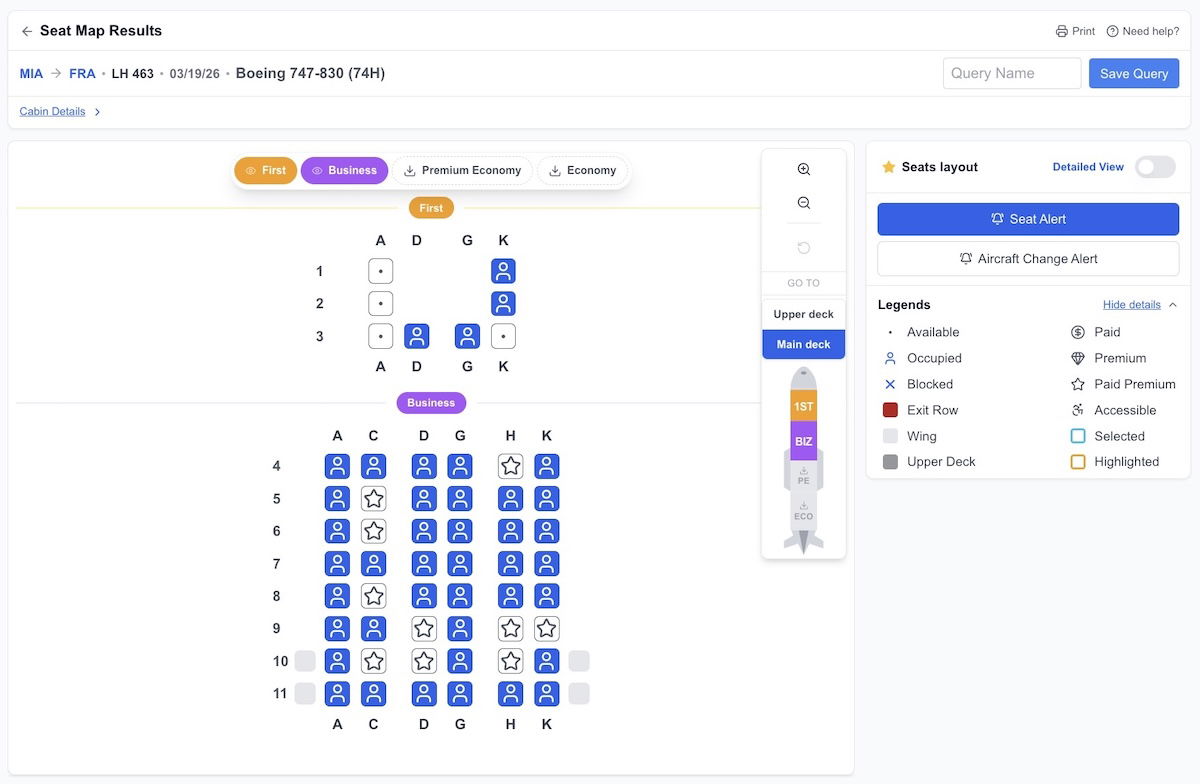
However, if you want a more basic seat map (which maybe looks a bit less cluttered), toggle the “Detailed View” button, and you’ll get something more straightforward.
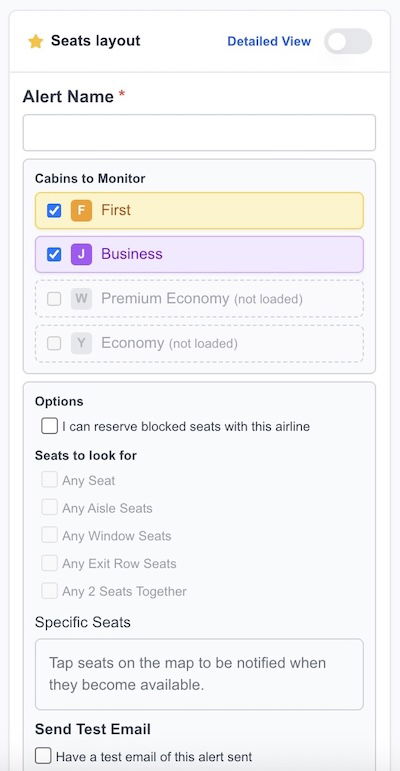
Now, there are two other very cool features involving seat maps. First of all, you can create a seat alert. We’ve all been in a situation where we wish we could assign a better seat, but they’re just not available. Maybe you just want to get out of a middle seat, or maybe you want a specific aisle or window seat.
ExpertFlyer lets you set seat availability alerts. You can either specify if you just want two seats together, or you can specifically designate which seat you want to be alerted about. Then if any of those seats become available, you’ll be texted and emailed. I can’t count the number of times over the years that this has proven successful for me for securing a better seat.

The last useful feature involving seats is that ExpertFlyer lets you set aircraft change alerts. Some airlines are notorious for swapping planes, so setting an aircraft change alert will mean you get texted and emailed in the event that your plane swaps. This could be useful if you’re booked on Qatar Airways, and are worried your aircraft might swap from one with Qsuites to one without Qsuites, just as an example.
Learn the real reasons for flight delays
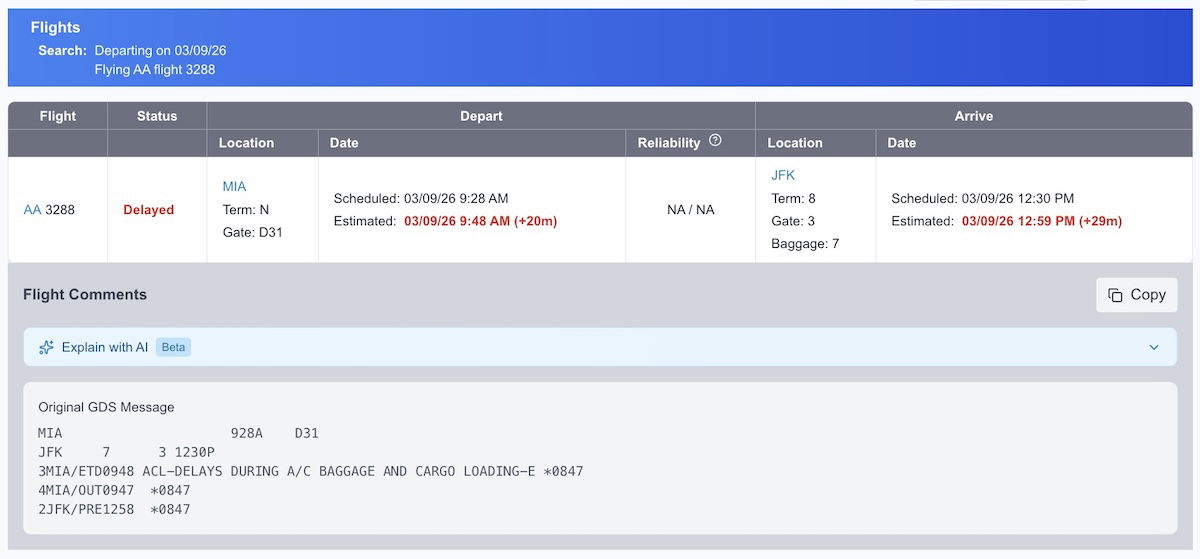
This is an incredibly underrated perk of ExpertFlyer, if you ask me. ExpertFlyer will display the operational notes that airlines provide in the event of a flight delay or cancelation. We know that airlines are notorious for blaming so many delays on weather, even when that’s not the case, so ExpertFlyer’s flight notes really empower you.
When you go to the “Flight Status” tab on ExpertFlyer, you can see the real reason for delays. For example, take the following delay explanation, where you can see that the flight’s issue was a “delay due to crew availability.”
This is valuable in situations where airlines claim that a delay or cancelation was due to weather, when really it was due to something within their control.

Look up minimum connection times
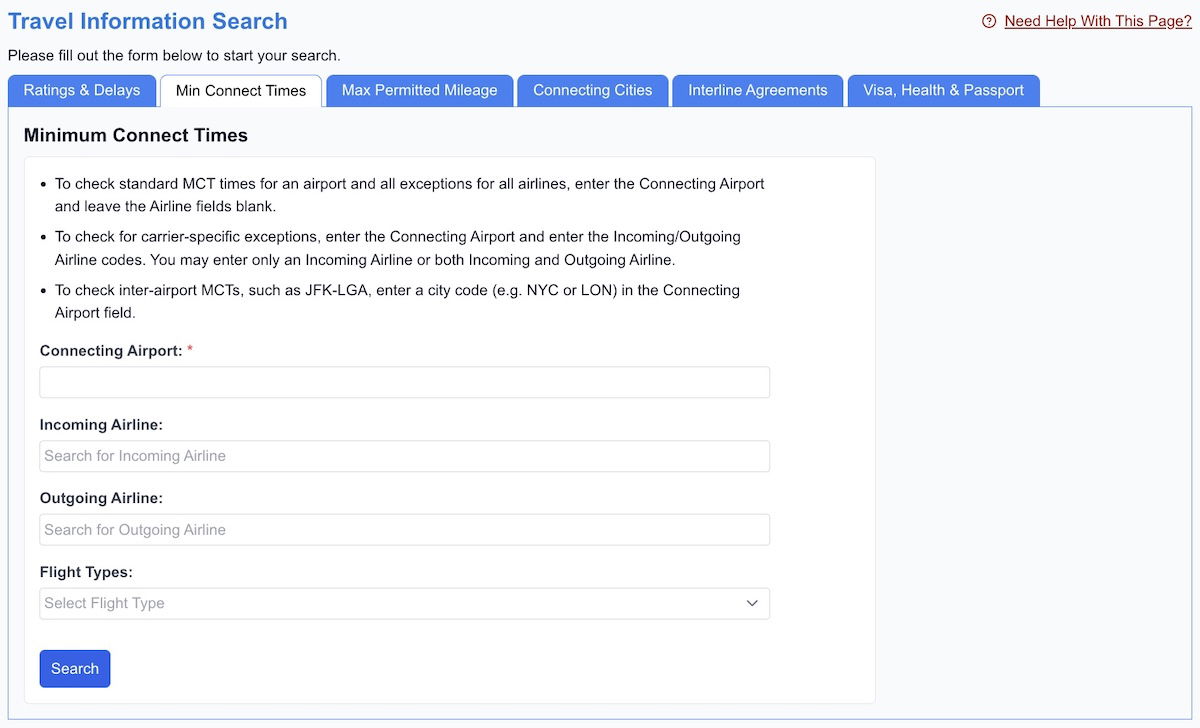
Every airport has a published minimum connection time, and that can vary based on whether you have a domestic to domestic connection, international to domestic connection, domestic to international connection, etc. ExpertFlyer publishes these minimum connection times for all airports, which is handy whether you’re piecing together a complicated award ticket, or just want a sense of how risky your connection is.

View visa and passport requirements
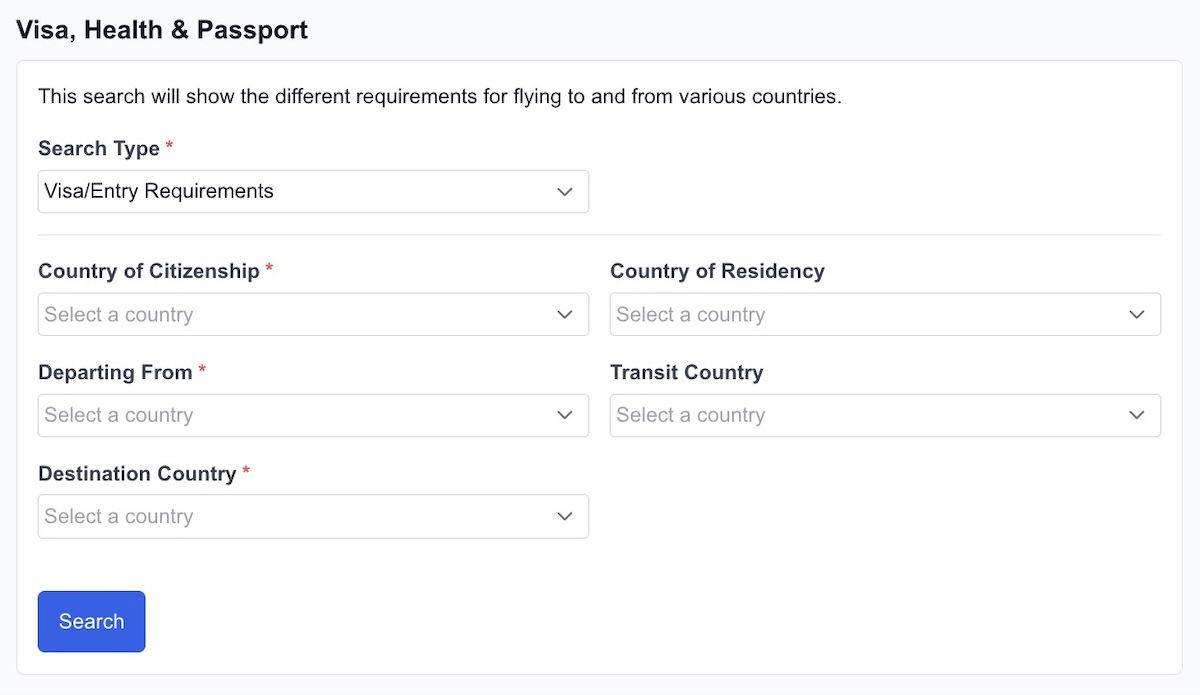
Keeping track of visa and passport requirements for travel can be complicated. When you go to the “Travel Information” section of ExpertFlyer and click on the “Visa, Health, & Passport” tab, you’ll be able to see the entry requirements for most destinations based on your citizenship, country of residence, countries you’re transiting, etc.

Bottom line
ExpertFlyer is a subscription service that I’ve been using for over 15 years now, and it’s one that I use on a daily basis. If you just travel once in a while, it’s probably not for you. However, if you’re a frequent flyer who is active in planning your travel and managing all parts of the process, signing up for ExpertFlyer is a good investment.
ExpertFlyer shows you everything from flight availability, to award and upgrade availability on select airlines, to seat maps, to minimum connection times. My single favorite feature, though, is the ability to set alerts. This can include everything from seat alerts, to revenue fare class alerts, to award and upgrade alerts.
I can’t tell you how many times over the years I’ve found an award seat thanks to ExpertFlyer, or managed to reserve a better seat that opened up. In particular, ExpertFlyer is essential for American flyers, given the award and upgrade alerts that can be set for the airline.
To those who use ExpertFlyer, what has your experience been with the site?
source